How to Setup you Email

Important Notes

Please ensure you were given an email address and password before continuing. (If not, speak to your agency principal to arrange one for you).

NOTE: You can set up and use your email in different ways.
1. You can manage your emails using our easy webmail interface from any phone, tablet or PC.
2. Link your email account to your phone, tablet or PC.
3. Use it on any combination of the above.

Step 1 - Log on to Your Webmail Account.

You can do this from any PC, tablet or phone that is connected to the internet. If this is someone else’s device or an internet cafe, make sure you do not save your password on that machine.

Complete this link to access you Webmail server:

https://yoursite.co.za/webmail/

  1. Type your full email address for example john@money247.co

  2. Type your password – Remember your password is case sensitive

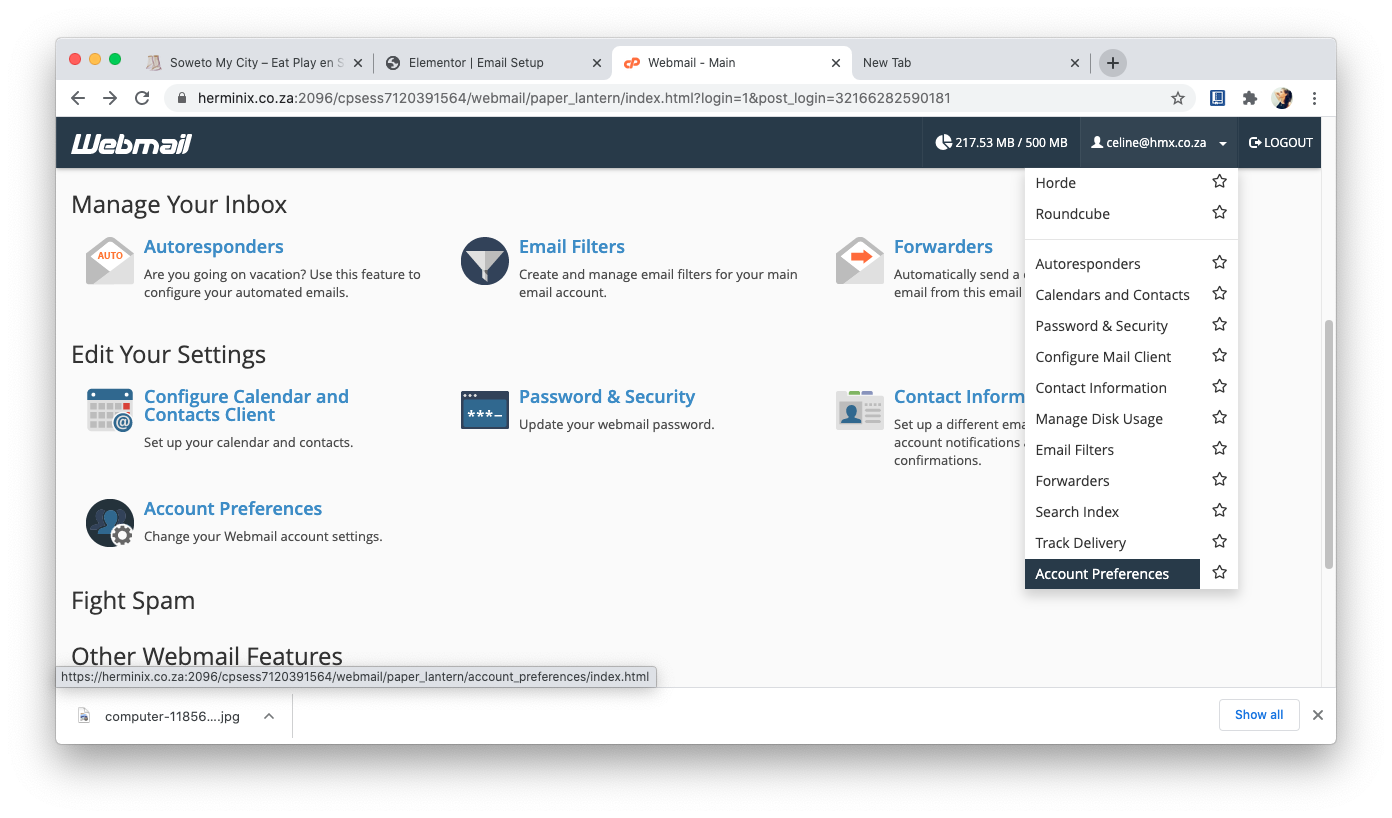
  3. Click the Log In button and you should see the following screen:

Step 2 - Change Your Password (optional)

This is optional but we highly recommend you do so on a regular basis but especially if this is your first time.

  1. Click on your email address like before
  2. On the drop-down menu select Password & Security
  3. Change your password.
  4.  You can use these settings to set up a mail client on your mobile, tablet or PC for example Microsoft Outlook
  5. If you are unsure then you can scroll further down for instructions or you can print the page and ask someone to help you.

Step 3 - Locate Your Settings

This step is optional if you are only going to use Webmail to send and receive your emails.

  1. Click on your email address like before
  2. On the drop-down menu select Configure Mail Client
  3. Scroll down until you see “Mail Client Manual Settings”
  4.  You can use these settings to set up a mail client on your mobile, tablet or PC for example Microsoft Outlook
  5. If you are unsure then you can scroll further down for instructions or you can print the page and ask someone to help you.

Step 4 - See Your Mailbox

Use this step to locate your webmail box and send your first email.

  1. Click the Webmail logo in the top bar to go back to the main screen.
  2.  You have a choice of 2 mailbox tools (Horde and Roundcube). It does not matter which one you use and you can play around with all 3 until you find one that you like and then you can always use the same one.
  3. Click any one and you will see your mails (inbox, send, etc.)

Quick Links

Infomercials

Copyright – 2022 HERMINIX (PTY) LTD

Your Broker House (Pty) Ltd FSP 46444 is our registered Financial Services Supplier